- PosterMyWall AI
-
9
- All-In-One Workflow
-
8
- Content Creation
-
8
- Pricing
-
8
- PosterMyWall AI helps small businesses create marketing content faster by generating designs and copy from simple text prompts, reducing the need for design expertise.
- Its biggest advantage is the all-in-one workflow: users can create, edit, schedule, publish, and manage campaigns from the same platform instead of juggling multiple tools.
- The tool is ideal for small businesses, nonprofits, restaurants, event organizers, and social media managers who need consistent marketing output without a dedicated creative team.
- With a functional free plan and affordable premium tiers, PosterMyWall AI offers a cost-effective alternative to more complex design platforms.
Running a small business means wearing every hat at once: operations, customer service, finances, and somehow, marketing too. For most owners, content creation keeps getting pushed to the bottom of the list. Not because it isn’t important, but because it takes time and skill that are often in short supply.
That challenge is becoming more urgent as AI becomes a standard part of the creative process, with nearly 78% of designers now using it in their workflows, according to LogRocket. The expectation is no longer just to create content, but to create it faster and more consistently.
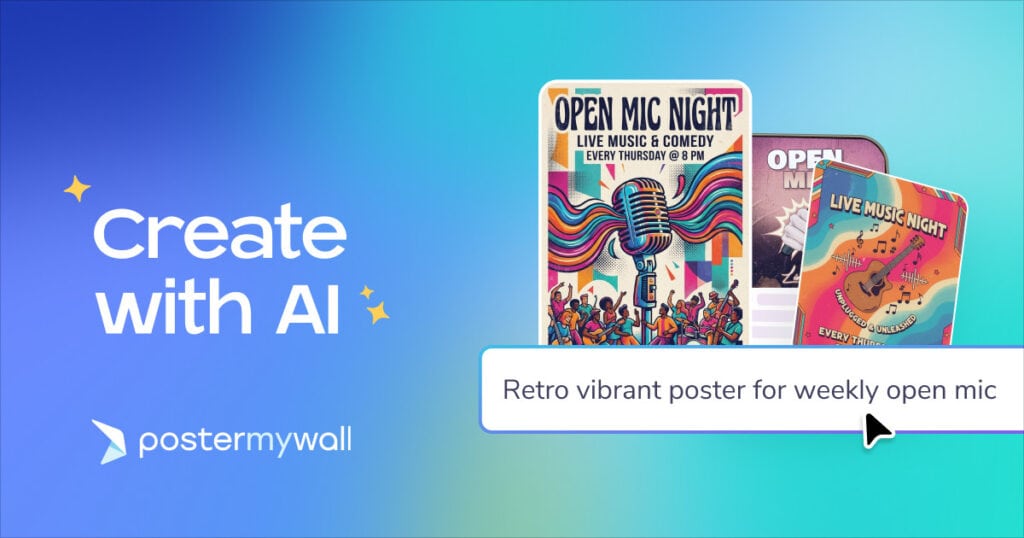
PosterMyWall AI enters this space as a prompt-driven creative tool built to shrink the gap between having a marketing idea and actually publishing it. Instead of hiring a designer, subscribing to multiple tools, or wrestling with complicated software, you describe what you need in a simple prompt and the tool produces a draft in seconds.
But does it actually deliver? This review breaks down who it’s built for, what it handles well, and where you should still set realistic expectations.
What is PosterMyWall AI?
PosterMyWall AI is a prompt-based creative assistant embedded directly inside the PosterMyWall platform. Unlike standalone AI image tools or chatbots you use in a separate tab, this feature lives inside the same workspace where you design, publish, schedule, and send campaigns.
Using it is straightforward: you type what you want: a flyer, a social post, a menu, and the tool generates an instant design along with relevant copy. From there, you can refine it with follow-up prompts or adjust elements manually in the PosterMyWall editor.
Beyond the prompt assistant, PosterMyWall also offers a suite of complementary AI tools:
- AI Writer: for generating and rewriting marketing copy
- AI Voice: for adding narration to video content
- AI Subtitles: for adding subtitles to videos
- AI Background Remover: for cleaning up product or portrait images
What sets PosterMyWall AI apart from these features is its scope. Instead of focusing on a single task, it acts as a conversational creative partner, helping you go from a blank page to finished content using natural language prompts. Like ChatGPT, you can simply describe what you need but unlike ChatGPT, it’s built directly into your content creation and publishing workflow.
Who should consider using it?
PosterMyWall AI is built for people who need to produce marketing content regularly but do not have a dedicated creative team. That typically includes:
- Independent retailers and local service businesses
- Restaurant and food service owners
- Nonprofits, churches, and community organizations
- Event organizers and venue managers
- Independent musicians and promoters
- Social media managers handling multiple clients
The common thread is a need for consistent, professional-looking output without the budget or bandwidth to hire specialists. If you fall into any of these categories and currently spend hours on content creation, or avoid it altogether, this tool is worth evaluating seriously.
Core Capabilities: What you can actually make
The platform supports a wide range of marketing formats across both digital and print channels. Common use cases include:
- Social media graphics for Instagram, Facebook, and LinkedIn
- Promotional flyers and event posters
- Email header visuals and newsletter content
- Product announcements and sale graphics
- Limited-time offer ads with urgency-focused copy
- Community event and fundraiser materials
One capability worth highlighting is that PosterMyWall AI does more than design. It also helps with ideation. If you are unsure how to approach a campaign, you can ask for angles and concepts, not just a finished graphic. For example, you might ask for Valentine’s Day promotion ideas for a restaurant, or suggestions for activities at a church fundraiser. This makes the tool genuinely useful at the planning stage, not just execution.
How the workflow actually works
1. Starting a project
You open PosterMyWall AI and describe what you want. The more specific your prompt, the better the first result tends to be. A prompt like:
Create a weekend sale flyer for my bakery using warm colors and a friendly tone
will produce a more focused result than:
Make a flyer for a sale.
2. Refining the output
Once the AI generates a draft, you can request changes conversationally. You do not need to dig into design settings or manually locate elements. Instead, you can type instructions like:
- Replace the blue background with a warm gradient
- Move the logo to the top right
- Change the headline to Grand Opening This Friday
- Make the layout more minimal with softer tones
- Add a call-to-action button that says Shop Now
This revision process is where the tool genuinely saves time. Instead of learning a design interface, you describe the change and the platform applies it.
3. Publishing without leaving the platform
One of the strongest structural advantages of PosterMyWall AI is that it is not a standalone generator. Once your design is ready, you stay in the same workspace to publish. You can:
- Schedule posts on social media directly from the platform
- Add the visual to an email campaign
- Turn it into an event landing page
- Create supporting graphics for the same campaign without starting over
For small businesses juggling multiple channels, eliminating the download-upload-reformat cycle adds up to meaningful time savings.
Prompt examples worth trying
Promotional Content
- Design a social media post for 20% off winter jackets. Add a bold headline, urgent tone, limited-time framing.
- Create a grand opening poster for a hair salon. Give it a clean, modern, upscale feel.
- Make a weekend flash sale graphic for a boutique with a warm color palette.
Events and Community
- Create a fundraiser flyer for a church. Use a welcoming tone, leaving space for date and location details.
- Design a concert promo for a local band with dark background, spotlight effect, high energy.
- Build a community event flyer for a family day. Make it bright, friendly, and accessible.
Edits and Refinements
- Swap the background for a sunset gradient.
- Make the font larger and bolder on the headline.
- Reduce visual clutter. Simplify the layout and remove the secondary text block.
- Change the button color to match the logo.
Honest limitations to keep in mind
No tool is without trade-offs. A few things to consider before committing:
- Prompt quality matters: Vague instructions like “make it look better” or “make it pop” will produce generic results. Clear, specific prompts like naming colors, tone, audience, or goal, consistently yield stronger outputs.
- The first draft is a starting point: The initial generation rarely needs zero editing. Treat it as a solid first draft that gets you 70 to 80% of the way there, not a finished product.
- Learning curve on prompting: Users new to AI tools sometimes find it takes a few attempts to learn how to write prompts that get the results they want. This is a small but real investment of time upfront.
PosterMyWall AI vs. Competing AI tools
Here is how PosterMyWall AI stacks up against commonly used alternatives:
| Tool | AI Features | Prompt-Based | Pricing |
| PosterMyWall | AI Writer, Image Generator, Background Remover, Voice, Subtitles | Yes, full prompt assistant | Free; Premium $13/mo; Premium Plus $30/mo |
| Canva | Magic Media, Magic Resize, Audio Enhancer, Background Remove, Magic Write | Yes but partial | Free; Pro $55/yr per person |
| Adobe Express | AI design generator, background remover, animations, subtitles | No | Free (limited); Premium $9.99/mo |
| Piktochart | AI social post generator, AI design & business content tools | Yes but image generation only | Free; Pro $29/member/mo |
| VistaCreate | AI Image Generator | No | Free (no AI); Pro $10/mo |
| Venngage | AutoBrand AI, Smart Accessibility AI, AI-Powered Editing | Yes but image generation only | Free; Premium $10/mo/user; Business $24/mo/user |
| Fotor | AI image/video creation, background remover, text remover | No | Free; Pro $3.33/mo; Pro+ $7.49/mo |
The key differentiator for PosterMyWall AI is the combination of a full prompt-based workflow and an integrated publishing platform at a competitive price. Most alternatives either lack conversational prompt input, require separate tools for distribution, or charge more for equivalent access.
Pricing: Is it accessible for small budgets?
PosterMyWall operates on a tiered model:
- Free plan: access to core features with basic AI capabilities
- Premium: $13 per month, expanded AI access and design tools
- Premium Plus: $30 per month, full platform access including advanced publishing and analytics
For most small businesses starting out, the free plan provides enough to evaluate whether the tool fits your workflow. The Premium tier is a reasonable step up for anyone posting consistently to multiple channels.
Frequently Asked Questions
Yes. Every AI-generated design can be opened up in the PosterMyWall editor, where you can adjust elements manually alongside or instead of using additional prompts.
No. It is embedded directly into the PosterMyWall website. There is no additional software to download or accounts to create.
Canva has more advanced design flexibility for experienced users. PosterMyWall AI has an edge in prompt-based generation and integrated publishing tools, making it faster for users who want to create and distribute content in one workflow rather than moving between apps.
The free plan is functional enough for occasional use. Businesses that publish content daily or need full scheduling and analytics will likely want the Premium tier.
Bottom Line
PosterMyWall AI is a practical, well-priced option for small businesses that need to produce marketing content consistently but lack the time, budget, or expertise to do it the traditional way.
Its biggest strength is not just the AI itself, it is the fact that design and marketing happen in the same place. That removes friction at exactly the point where most small business marketing efforts stall: getting from a finished design to an actual published post.
It is not a magic solution, and results improve proportionally with the quality of your prompts. But as an entry point for consistent, professional-looking marketing without a steep learning curve or expensive subscriptions, it earns its place in the toolkit.
If you are currently avoiding content creation because it feels too time-consuming, PosterMyWall AI is worth trying on the free plan before committing to anything.