
Netflix is one of the most popular streaming platforms for movies, TV shows, documentaries, and original series. However, it has quietly abandoned computer users. The Netflix Windows app no longer offers downloads, and there is no Netflix app for Mac, so Mac users can only stream Netflix contents online through a browser. The offline downloads are restricted to the Netflix mobile app and typically expire after 7 or 30 days.
If you want to watch Netflix offline on a bigger screen computers, smart TVs, or build a permanent offline video library, you need to download Netflix videos to computer and save them as MP4 format. Good news, TunesBank company has released iMovieTool Netflix Video Downloader, which is the most powerful Netflix downloader for Windows and Mac, this program aims to help you bypass Netflix’s download limits and enhance your offline viewing experience. But does it deliver on that promise, or is it reliable and safe to use? Read on this honest review right now.
Why Download Netflix Movies and Shows to a Computer?
Before getting into the “how”, it’s necessary to understand why saving Netflix to your local computer is so popular. The downloaded movies and shows in the Netflix app are just cached files, which come with several limitations, especially when you want flexible offline access and playback.
- No Active Subscription Needed: Once downloaded, your local Netflix video files remain playable on computer even if your Netflix subscription ends.
- Unlimited Video Downloads: The official Netflix app is limited to 15 or 100 total downloads per device, depending on your plan. Desktop Netflix downloader lets you download unlimited Netflix titles to computers without restrictions.
- Permanent Local Access: Unlike official mobile app downloads that expire after 7 to 30 days, downloading Netflix to the computer folder ensures these Netflix video files never vanish from your device.
- Flexible Device Playback: Netflix’s official downloads are designed for in-app offline viewing. Local MP4 or MKV files are playable on any device, including smart TVs, tablets, phones, USB drives.
While online Netflix downloaders may seem free and convenient, they often come with intrusive ads, low-quality resolution, and even fake download buttons. For a reliable, high-quality solution, dedicated desktop software like iMovieTool Netflix Video Downloader is a better choice.
Why is iMovieTool Netflix Video Downloader the Best Choice?
iMovieTool Netflix Video Downloader is a professional desktop application for Windows and macOS that lets you save Netflix shows and movies as MP4 or MKV files. Unlike online websites that require you to upload URLs to a server, iMovieTool has integrated the official web browser, allowing you to access, browse, search, add, and download Netflix movies, TV shows, documentaries, and other content on your computer directly.
It can also download Netflix videos in FHD 1080P or even 4K resolution and save them as universal MP4 or MKV formats. This ensures you can keep Netflix downloads forever and watch them offline anytime, anywhere.
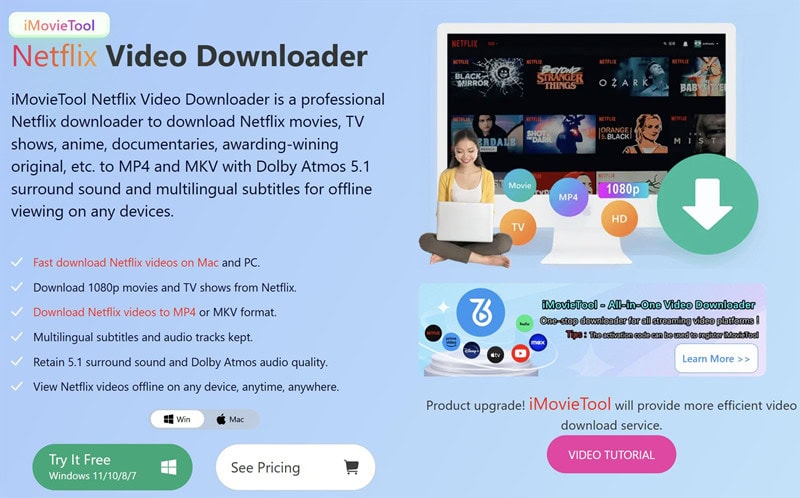
iMovieTool Netflix Video Downloader Features
- Built-in Netflix Web Browser: Instead of switching between Netflix and another application, you can access Netflix through iMovieTool’s integrated web browser. You can log in with your active Netflix account to access the download functionality directly.
- MP4 and MKV Output Formats: iMovieTool lets you download Netflix videos to MP4 or MKV format for playback on various media players and devices, such as Qutime Player, Windows Media players, smartphones, tablets, and smart TVs.
- 1080P Video Quality Downloads: iMovieTool also adopts an enhanced decoding technology to download Netflix videos in HD 1080p (or the highest 4K resolution Netflix serves for that title), while maintaining Dolby Digital 5.1 surround sound, ensuring a cinema-like viewing experience offline.
- Batch Download: Want to download multiple Netflix movies or an entire TV episode or season? iMovieTool supports batch downloading while delivering a smooth and fluent performance. This can save considerable time and improve high success rate compared to online Netflix downloaders.
- 50X Ultra-Fast Speed: iMovieTool provides a reliable, high-speed downloading experience, with speeds of up to 50X faster than real-time playback. With a stable network connection, a 2-hour movie can be downloaded in approximately 15 minutes, while a 45-minute episode may take around 6 minutes.
- Multiple Audio Tracks and Subtitles: The software can preserve available multilingual audio tracks and subtitles that Netflix provides. You can select your preferred audio and subtitle languages for all downloaded content. Helpful for language learners or international users.
- Three Subtitle Format Options: It provides three subtitle modes, including: soft subtitles, hardcoded subtitles, and external subtitles. For instance, you can save Netflix videos with external SRT or VTT files, or remux them into the video.
Download Netflix Videos to Computer with iMovieTool
Step 1: Download, Install and Launch iMovieTool Video Downloader
iMovieTool Video Downloader is available for Windows 7, 8, 8.1, 10, and 11 (both 32-bit and 64-bit), as well as macOS 11.0 and later. Download the installer from the official TunesBank iMovieTool website and follow the on-screen instructions. Fire up the program after installation.
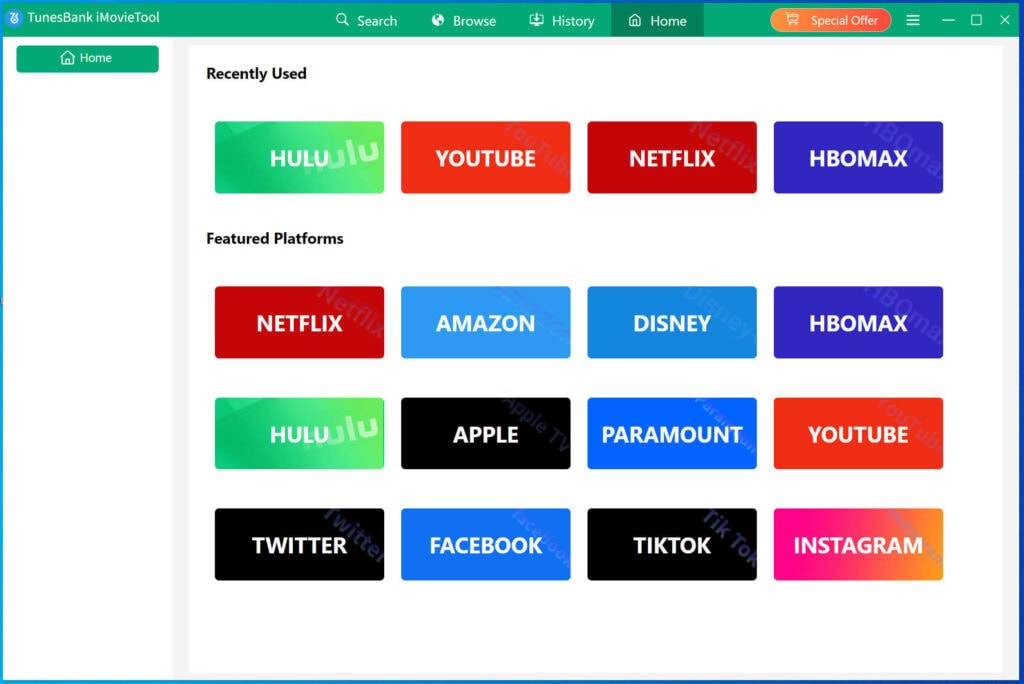
Step 2: Select Netflix and Log In Netflix Account
Choose Netflix from the supported services and sign in with your Netflix account to enter the built-in web browser. iMovieTool supports all types of Netflix accounts, including ad-free and ad-supported accounts.
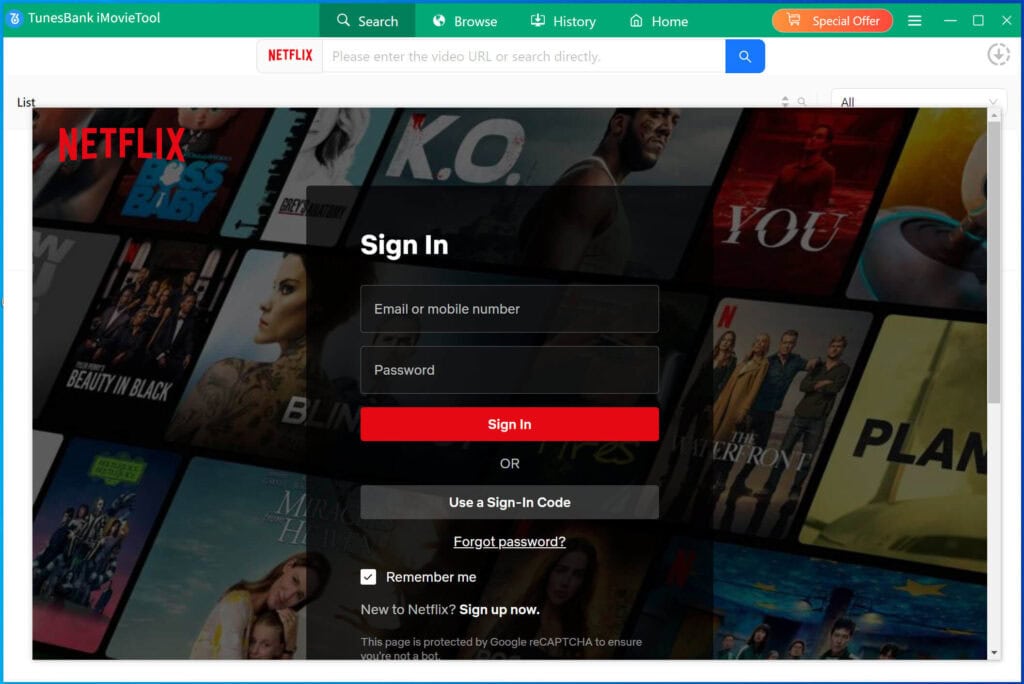
Step 3: Configure the Output Settings
Before downloading, navigate to the Menu bar and choose “Preferences” to configure your preferences. From where you can set the video format (MP4, MKV), video codec (H264, H265), video quality, preferred audio language, subtitle language, and subtitle type.
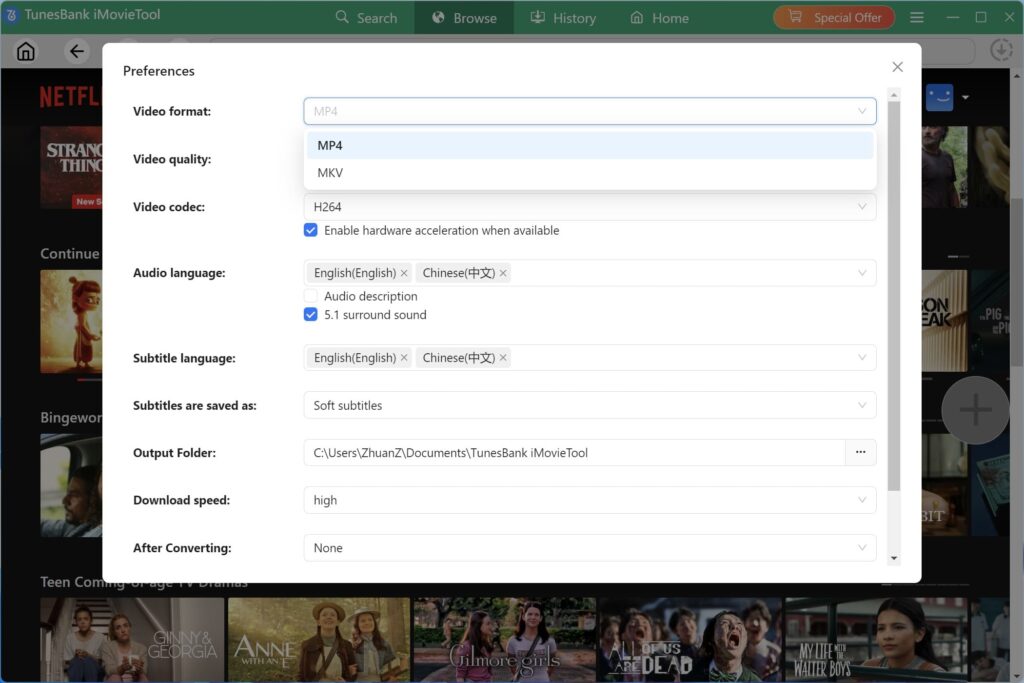
Step 4: Add a Netflix Movie or Show
You have three ways to search Netflix movies or shows to the download queue.
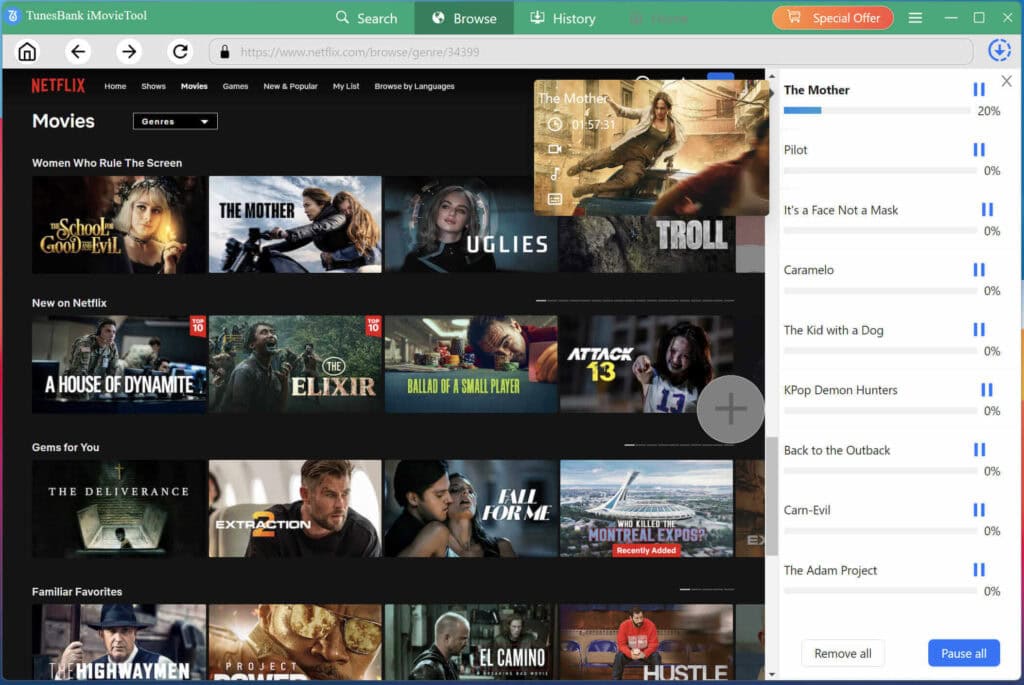
Way 1# In “Browse” Tab: Navigate to Netflix’s catalog. Search by title, browse genres, or check your watchlist.
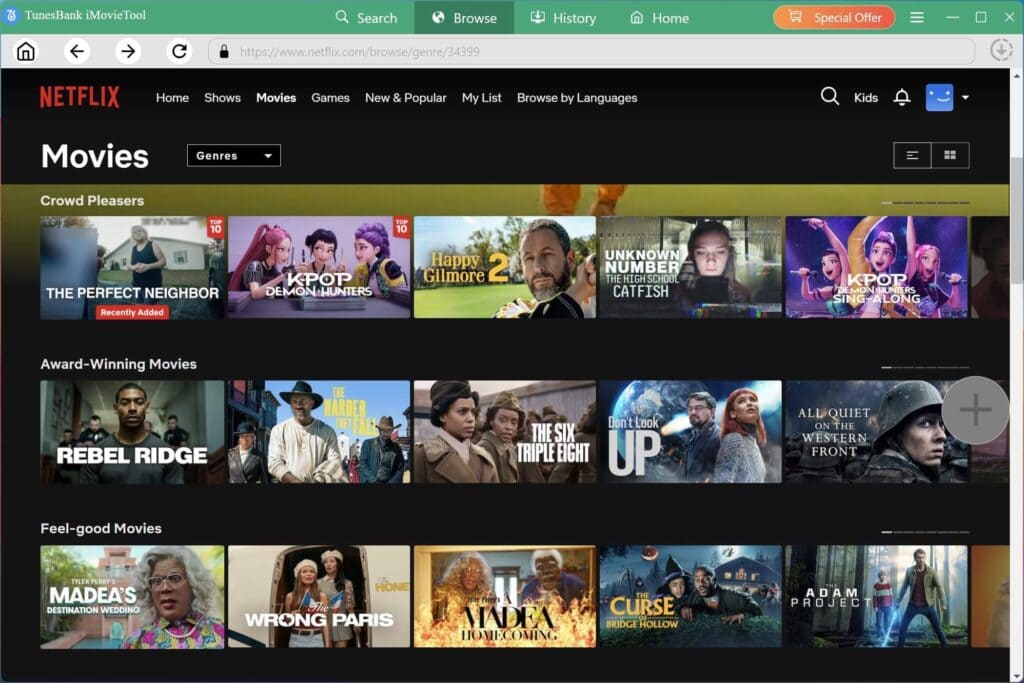
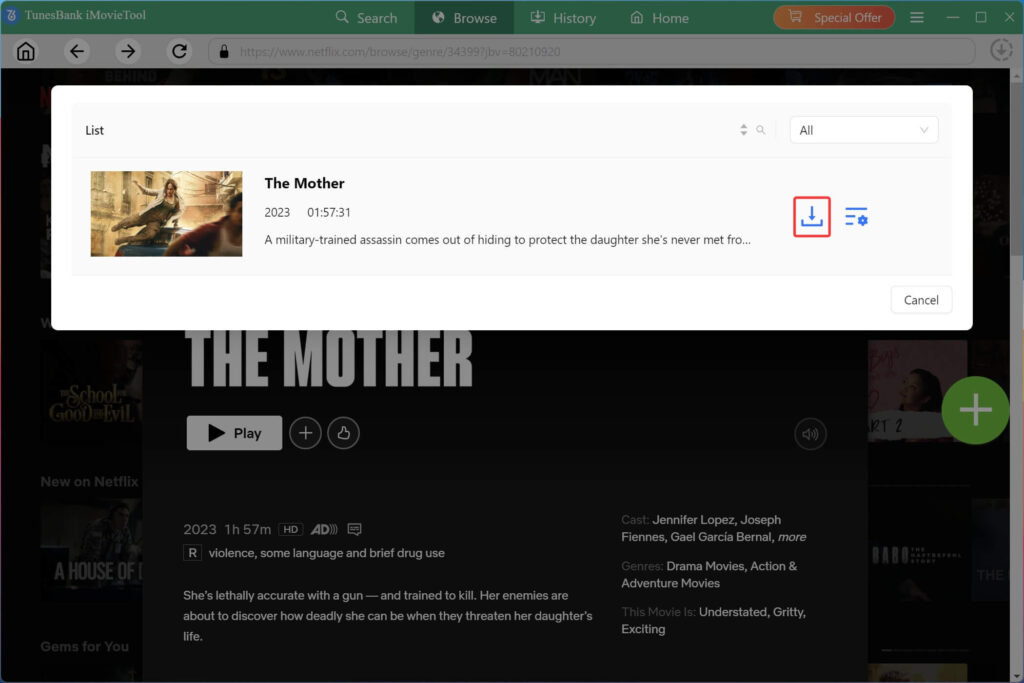
Once you find a movie or episode you want, open its detail page and click the “+” icon to add it to the download queue.
Way 2# In “Search” Tab: You can enter the video name, keyword, or paste the URL to find a specific title. It will analyze it and display matched content.
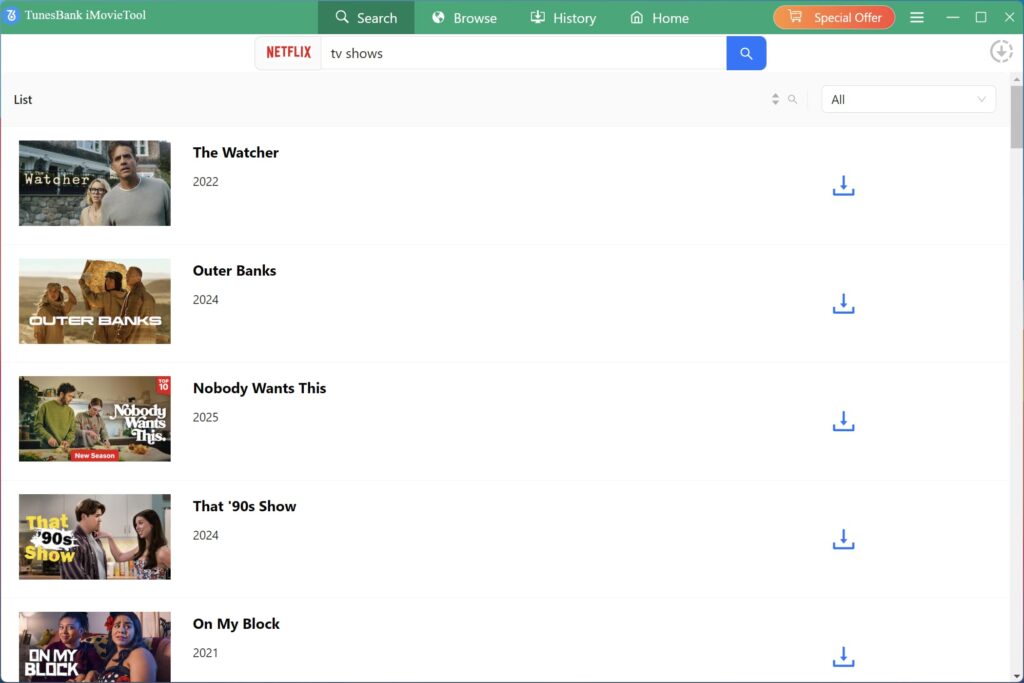
Step 6: Start Downloading Netflix Video to PC/Mac
Click on the “Download” button next to the title. iMovieTool will begin to download Netflix movies to your computer and save it to your chosen destination folder.
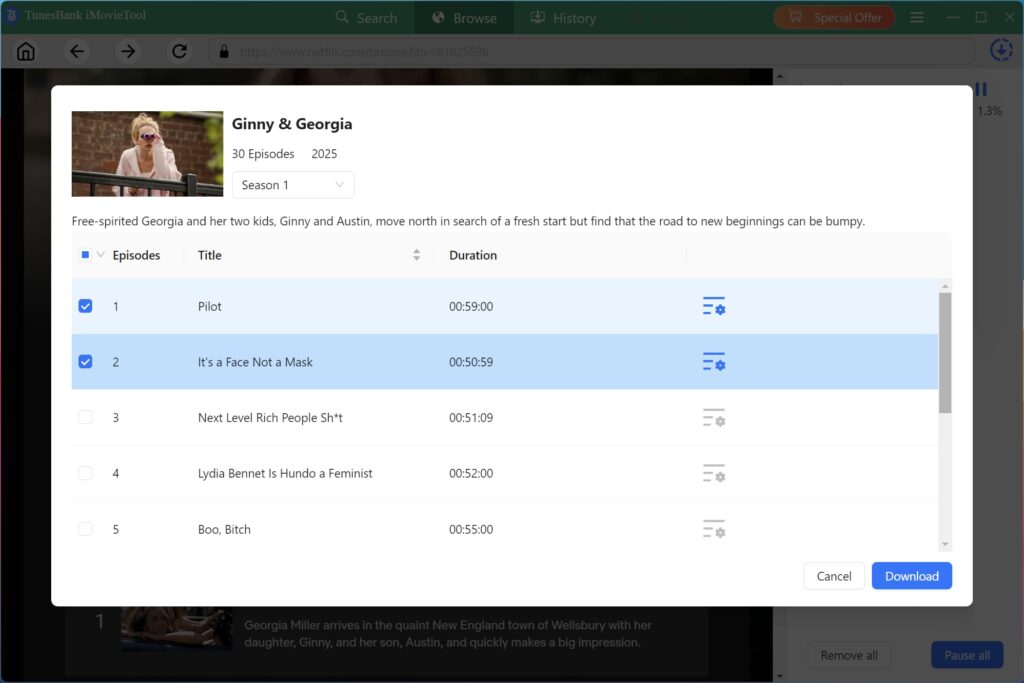
For downloading TV shows from Netflix, you need to choose your preferred seasons and episodes. You may also click the “Gear” icon to review and change your selected audio tracks, subtitles, and output settings. Then hit the “Download” button.
Step 7: Find Your Downloaded Netflix Videos
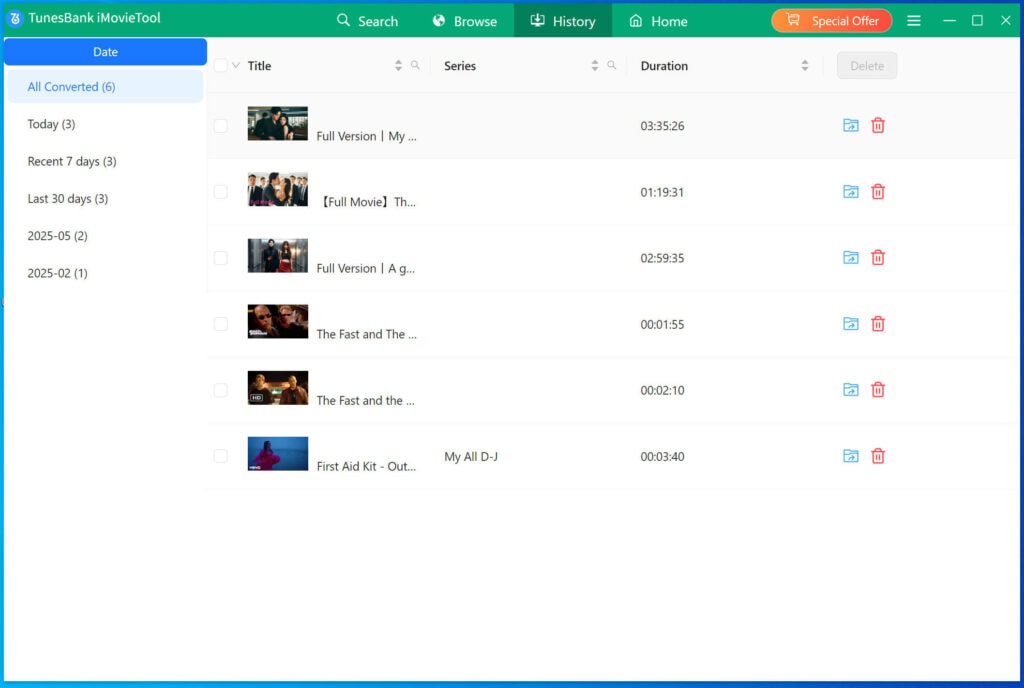
When the process finishes, go to the “History” tab within iMovieTool. Click the “Blue Folder” icon to open the folder containing your downloaded Netflix videos.
FAQs About iMovieTool Netflix Video Downloader
No. iMovieTool Netflix Video Downloader offers a 30-day free trial, allowing you to download the first six minutes of each video. To unlock full function and unlimited downloads, buy a iMovieTool Netflix Downloader and enjoy a 20% off discount: 1-Month Plan (US24.95), 1-YearPlan(US59.95), and Lifetime Plan(US$89.95).
Of course, cross-platform users can choose iMovieTool All-in-One Video Downloader: 1-Month Plan (US49.95/Month), 1-YearPlan(US99.95), and Lifetime Plan(US$149.95), full access to 12 video platforms.
Bonus: If you subscribe to any iMovieTool plan, you’ll receive full access to iMovieTool’s Social Media Downloaders (Twitter + Tiktok + Facebook + Instagram) for free!
Based on multiple tests on both Windows and Mac, the official installer shows no malware, bundled software, or suspicious behavior. Instead, iMovieTool delivers an ad-free, clean and user-friendly interface that is easy to use even for beginners. Always download and install the software from TunesBank Official Website.
The legality varies by jurisdiction and depends on the content and how you use the downloaded files. Netflix’s terms and copyright laws may restrict copying, redistribution, or other uses of protected content. iMovieTool Netflix Video Downloader is mainly designed for personal use and entertainment. Do not share, upload, sell, or distribute downloaded Netflix content for commercial purposes, it’s 100% illegal.
Final Verdict: Is iMovieTool Netflix Video Downloader Worth It?
To sum up, iMovieTool Netflix Video Downloader is a dependable and powerful desktop application for easily downloading Netflix movies and TV shows to computer into MP4 or MKV video formats. The download process is straightforward, output quality is excellent, and the range of audio tracks and subtitle options is generous. It delivers a convenient solution for anyone who wants to download and watch Netflix offline without relying on the app.
It is not without drawbacks. The free trial only downloads the first five minutes of each video, which is enough to test the basic workflow but not the full experience. No worry, iMovieTool offers a 5-day or 30-day money back guarantee (depending on your purchased plan), giving users more flexibility to test the full version. Overall, iMovieTool Netflix Video Downloader is worth trying.