
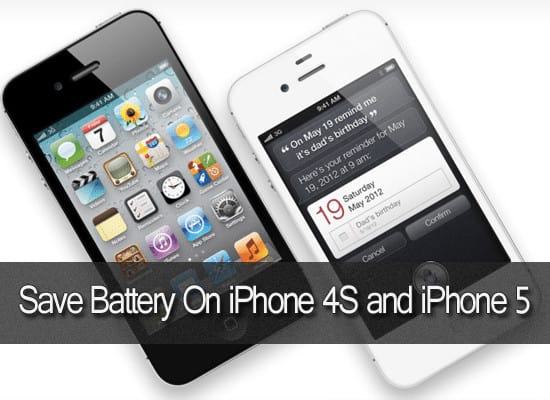
If you are an iPhone 4S user, you might have noticed the low battery life of the phone. The iPhone 4s battery drains off in just few taps connected to the internet and it is the only flaw with the Apples’s handsets released so far. Of course the battery of iPhone 4S is a unique from all other phones of Apple but, we shouldn’t leave it to be. Have you ever tried to save battery on iPhone 4S ? Its pretty simple. Just a few manipulations in the phone’s settings can save nearly 50% of the phone’s battery. Here are some unique tips listed to save battery on iPhone 4S which can bring out a remarkable change in the iPhone’s battery life….
Proven ways to Save Battery On iPhone 4S
Turn Location Services Off:
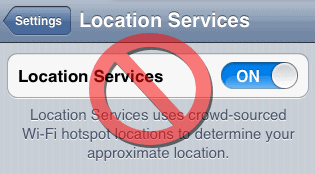
Some of the Apps on iPhone tracks the current location of the phone using GPS to give extra information. It drains a lot of battery power which is unnoticeable. So, to save batter on iPhone 4S you must turn-off location services. Just head over to iPhone settings and click Location Services tab and turn it off. No app can access your phone’s current position and it saves a lot of battery life.
Make Use Of Auto-Brightness:
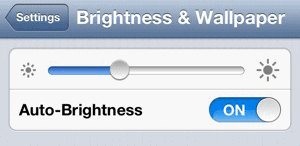
Does it makes sense setting the phone’s brightness to high in darkness? No, in fact. The iPhone 4s is designed with a capability to adjust the brightness of the display according to the surrounding light. That’s what we call “Auto Brightness“. Switching the Auto brightness feature on to save battery on iPhone 4S.
Take A Look At Multi-Tasking:
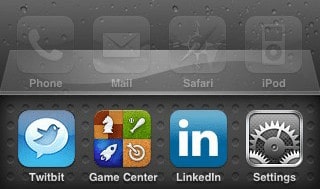
Many of the apps sucks the iPhone’s battery by running in background of the screen. We can’t see them running on the screen but, they sucks the entire battery. So, to close them double tap the Home button and there you can find the apps running in the background. Hold your finger on the App’s icon until an quit red button pops up. Now tap the quit button to get rid of the app. That’s all! You can save battery on iPhone 4s in just few taps.
Charge The Battery Completely twice A Month:
If you are too much cared about your iPhone 4s battery, charge it fully at-least twice a month.
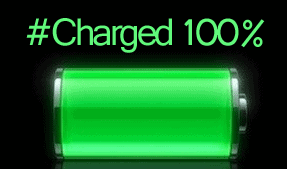
Confused? It means nothing but suggesting you to charge the iPhone battery to 100% at least twice a month. It enhances the battery and performance and save battery on iPhone 4s.
Turn-Off Wi-Fi And Bluetooth:
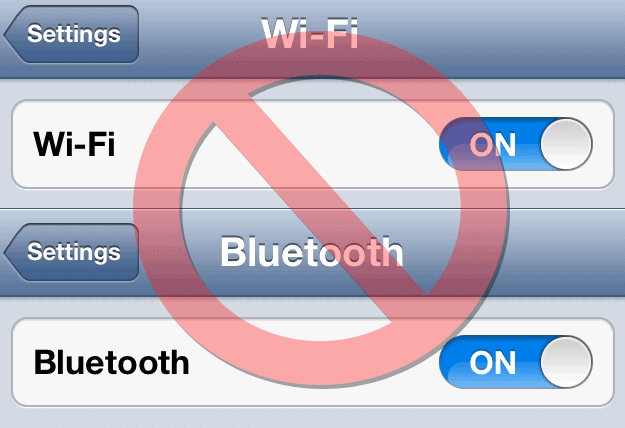
Every feature on an iPhone which transfers data consumes extra battery when compared to other specifications on the phone. So, we must take care that those features should not be kept on when they are not in use.
In an iPhone Wi-Fi and Bluetooth are the primary data transfer features we use besides GPRS, Voice calling and Video calling. Unless we are using the phone to connect with an external Bluetooth device or Wi-Fi service we should not turn-on these features on the phone.
Final Suggestion:
In an iPhone “Siri” sucks too much battery which requires data transfer from the user to phone and from phone to servers. So, shouldn’t use “Siri” app for long time on iPhone in case you consider to save the battery.
Try to save out more battery from draining by implementing all the above tips and if they didn’t work on your device, try restoring the phone to increase the speed of the phone and to save battery on iPhone 4s. Restoring lets you start the phone with default settings. One more thing is these above steps will even work in iPhone5 and iPhone 3G too.

All these tips are very helpful and I would like to include some more to this list like disabling auto app updates, not using dynamic wallpapers and finally decreasing auto-lock period to switch off backlight and save battery juice.
It’s no exaggeration if I say you need to have at least a 10000 mAh powered battery on a smartphone these days. It’s because of the endless possibilities you have. Well, turning off, rarely used features will certainly save the battery. Good tips, Ajay!
Nice artical Dude