
HTC EVO 4G is an Awesome touch screen mobile which supports both 2G and 3G network. It was released on 2010 June. It weights about 170 grams with 122 X 66 X 13 mm dimensions. It has an 8 MegaPixel back camera with auto focus and geo tagging. HTC EVO 4G also has 1.3 MegaPixel secondary camera too. It comes with 512 MB internal memory and 8 GB memory micro SD card. However we can expand up to 32 GB via Micro SD card. It comes with Android operating system 2.1 and upgradable to v2.3. HTC EVO 4G has 146 hours standby and 5 hours talk time. HTC EVO 4G it comes with GPS, GPRS, Edge, Bluetooth 2.0 and Wi-Fi
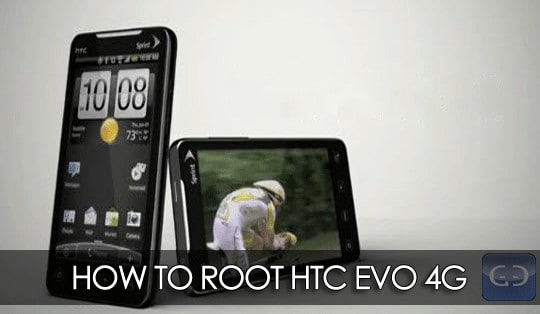
As HTC EVO 4G works on Android v2.1 you must root it for better usage. Rooting helps your mobile to accept more applications and you can enjoy more features on your mobile. Rooting is mandatory for low end devices. However HTC EVO 4G is a risky task but is quite safe if you follow all below mentioned steps.
Safety measures to follow while rooting HTC EVO 4G
It seems you are ready to root your HTC EVO 4G right? Then you must follow these steps to be on safe side
- Your mobile should be charged at least up to 70%. I recommend you not to start rooting if battery is not more than 40%
Also read: 10 ways Save Battery and ROM life in Android Devices
- Kindly backup entire date on your phone memory. Rooting process is almost like formatting your phone memory. So entire back up for phone memory is must and mandatory
Also Read: How to backup and Restore Apps, Messages, Contacts, Call log and Bookmarks in Android devices
- Close all back ground software’s on your computer. Mainly close Anti virus on your PC
- Enable De-bugging on your mobile. To enable de-bugging navigate to Menu > Settings > Applications > Development
READ ALSO: 5 Android applications to turn your voice in to text
How to Root HTC EVO 4G
- Download Rooting Package form HERE
- Extract Evo4GLTERoot.zip file to a folder on your desktop
- Now connect your mobile to computer using USB data cable. Bluetooth connection won’t work in this case
- Double click runme.bat file. Then on commend prompt you can see a message Press any key to continue. Then press any key on your keyboard
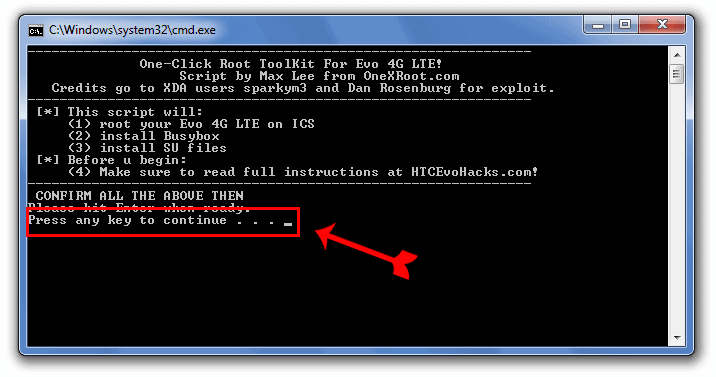
- That’s it, your mobile and computer will communicate each other. In this mean time take a cup of coffee
- Your HTC EVO 4G will reboot several times and mobile is rooted successfully
- Once rooting process is completed you can disconnect your mobile form computer
Congratulations your HTC EVO 4G is successfully rooted now. Enjoy updated device now 🙂
Also Read: How to check if phone is rooted or not
Warning: This guide is only of educational purpose and we are not responsible for any damage to your mobile. Don’t worry we are always looking to help you in case of any error while rooting CHEERS!!!
Consider sharing and subscribe to our feeds. BE SOCIAL DUDE

Thanks for this info, why do the maufacture tell us this?
Your heading says EVO 4G but your pic and Software are 4G LTE. Are you stating that the operation works on the original EVO 4G or is it strickly the LTE version? If you are stating it will work for the 4G also does that include the ones who took the latest OTA and are on 5.07 software or is it just for 4.67?