
We know how Google is awesome. Google has a powerful algorithm. It has capacity to show millions of results for every search query. It’s algorithm is designed such a way that, we can find answer for doubts easily. Along with this they are some interesting creations from Google. Earlier i thought Google Search is used only for searching and have simple structure for all searches. Later i came to know it have some features in Google Search. Knowing and understanding some of these Google search Tips helps you to have some fun. If you want perfect result for your search, you must know some Google Tips and Tricks. With the help of these Google Search Tips, you can get perfect solution with single click

10 Interesting Google Search Tips and Tricks
1. Calculator
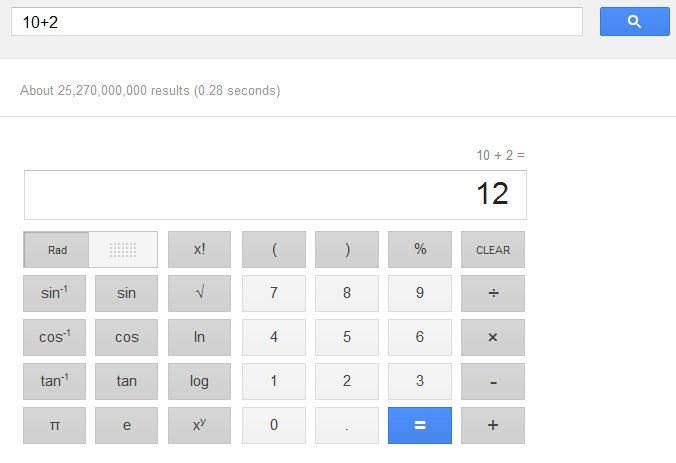
Now a days Internet is lightning fast. In some areas Internet connection is faster than computer performance (Yeah, trust me) Calculating on Google search is far better option than opening and calculating with Default calculator that comes with operating system
To use this feature, just enter the values or numbers you are willing to calculate and Search for it. Now see the magic.
Tip
For Addition use “+”
For Multiplication use “*”
For Subtraction use “-”
For Division use “/”
Hint: Use all above tips without quotes and use Numeric keypad
2. Time
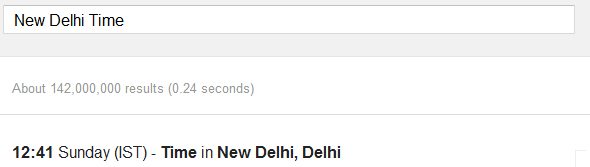
No wonder if you know time of your location. Using Google Search you are now able to know exact time of any location on this globe with single click. This is the one of the best Google Search Tips i have used
Tip
To use this feature on Google Search, use this format without quotes ” Your Location Time”
Replace Your Location with the area you are looking for
3. Unit Conversion
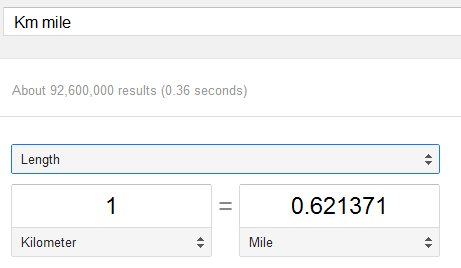
Convert Units easily with Google Search. Best Google search tip ever
Tip
Search like this to utilize this option “Km mile”
4. Excluding unnecessary results
Let’s say we are searching for some free stuff. It’s quite natural to have results which offers us to pay for the product. If you are searching for only free stuff and data, you can use this one of the Google Search Tips
Search for your product by adding “– paid” at ending. This can exclude the results which are related to paid stuff
Example: Android Games -Paid
Also Read: 10 Best Google Chrome Themes
5. Weather
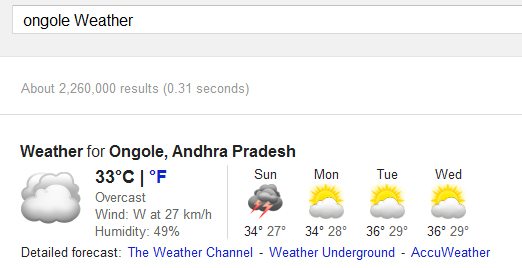
This one works similar as Time we mentioned above. To know weather of any specific location, search for “Your location Weather”
Replace You location with a city name
6. Related Websites
There are many website which are same in function. But you may don’t know them. For example, you would know Facebook but there are tons of sites which are similar to Facebook. To know about such sites, you must search on Google as mentioned below. Best of Google Search Tips and very useful one
related:www.facebook.com
Also Read: 30+ Funny and Creative Facebook Cover Pages
7. Definition

To know the definition of a word, you can use this format. This helps to know exact definition of any word
Definition:Geek
8. Currency conversion
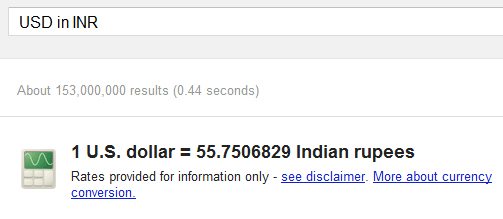
USD in INR converts Dollar in to rupee and INR in USD converts rupee in to dollar. You can convert any Currency of a country to other
9. Flight Status
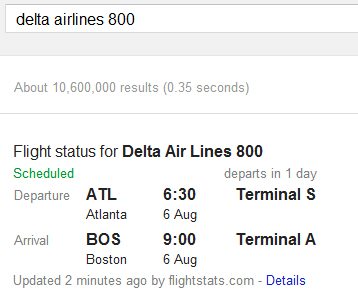
Status of flight can also be checked on Google search using this format
delta airlines 800
10. Finding Products in particular range
If you searching for any product in particular range, you can use this following structure android $200..$400
Android represents Product
and $200..$400 represents range of that product
Consider Sharing this article and Subscribe to our feeds. Comments are most welcome

Great tips. Flight time checker seems like a great idea- I didnt know I could do it right on Google. Till now, I used to log in to the airline’s website to know about the flight status. This has made thingss much much easier for me! 🙂
Thanks a ton!
Awesome Tips. I liked related(#6) keyword.
150% agreed with you. It helps me to know similar websites. I too found some sites which are similar as my site
its looking like a geeky results, means looks like app very interesting and informative.
Very handy tips, Amar. They certainly save a lot of time for people. And…to find the definition of a word, you can also simply type ‘define geek’ (no need to use quotes). Thanks for posting!
Define geek may not work everytime. What if we create a domain as “definegeek” ?
May be, but it works because we use a space between ‘define’ and ‘geek’.