
Are you buying a computer? Then you are lucky and you are on perfect place to know what things to consider when buying a computer. When compared to laptop, buying a computer is easy. If you follow important 10 things while buying a computer then you have an awesome configuration desk with you. Computer can do lot’s of work for you and it would save lot of time. Today this entire world is completely depends on computer and it may be main source for your entertainment or even for income.
As computer has huge opportunities for you why should you compromise while buying a computer. Think you are pro and developer while buying a computer so that you can buy highly configured computer. If you think you are a newbie you may buy low configured computer and a day would would surely come which will disappoint you for the configuration you have bought. So i recommend you to follow these 10 things while buying a computer to experience the happiness for long time
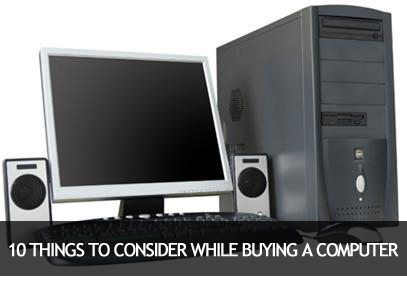
Things to consider while buying a computer
Consider below instructions carefully while buying a computer and I promise you will have a highly configured PC with you.
1. Brand and Service
The most important thing is the brand of the computer. You may have two choices while buying a computer, Brander PC or Assembled PC. Difference between them is quite simple. In branded PC we have to buy the computer as the company released and it may costs higher than the assembled PC.
In case of assembled PC, we have many options to configure our computer. We can select different companies to configure in case of assembled PC. For example, our monitor is from Samsung, Keyboard is from Zenith and so on. This type of configuration is possible only in case of assembled PC
Service is also very important while buying your computer. A computer may get repairs and you may have to travel kilometers to solve them. Ask whether home service is available for at least for one year.
2. Warranty
Internal parts like SMPS, Motherboard, DVD writer, etc should have a warranty for at least 1 years. Some of the brands would provide 3 years complete warranty under certain conditions. Must check and important step while buying a computer. Hope you will never forget this step. This single step would add value to your money
Also Read: Top 5 Best PC Games Ever
3. Processor
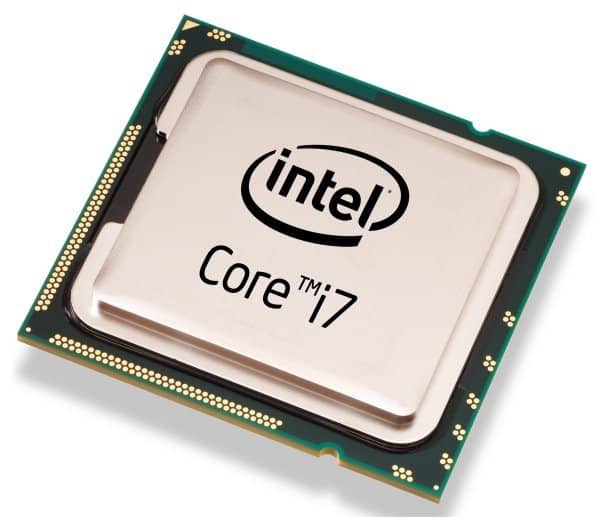
If you want to run your PC smoothly without any hangs then the processor is very important. Many people thing Core 2 duo processor is enough for their need and usage. But I recommend you to choose at least an i3 or i5 processor. If you are a gaming lover or a developer then you must choose i7 processor for your computer to help it to perform lightning-fast and smoothly
4. Hard Disk
Hard disk range starts from 40GB but no one is able to handle all their data on 40GB. If you have a large amount of data to store on your PC, then I recommend using a minimum 500 GB for general usage. Depending on your needs you may use 1 TB, 2 TB, or even 4 TB hard drives. Recently we have reviewed Seagate 8TB hard drive and you can read it here.
5. RAM
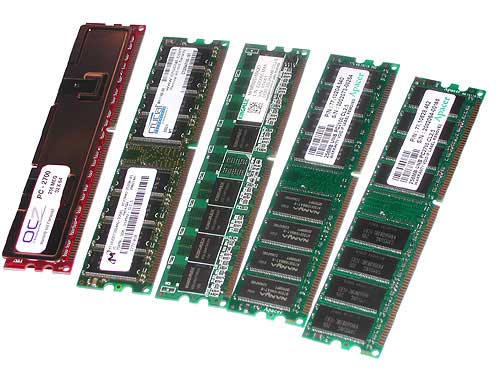
RAM is very important while buying a computer. For better use, your computer must be embedded with 2GB RAM. If you want to use 4 GB RAM, I recommend using 2GB + 2GB RAM because if any one of them stopped working only 2GB of RAM should be replaced which will save your money.
Try to install RAM as follows
- i3 processor with 500 GB Hard disk = 4 GB RAM is minimum is recommended
- i3 Processor with 1TB (1024 GB) Hard disk = 4GB + 4GB RAM is recommended
- i5 or 17 Processor with 500 GB Hard disk = 4GB RAM is minimum and recommended
- i5 or 17 Processor with 1TB (1024 GB) Hard disk = Minimum 8GB RAM is recommended and if your budget permits, go with 2 x 8 GB RAM.
6. Graphics Card
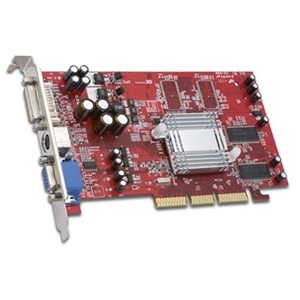
Graphics card of at least 500 MB is needed for nowadays usage. But I recommend using 1GB graphics card for game lovers and developers. Today games are graphic-rich and they may even start if you have a less graphic card installed
7. Monitor Size and Type
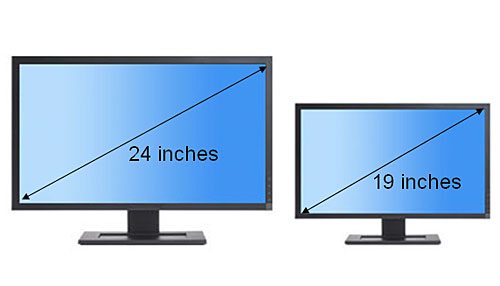
LED monitors are the latest trend now because they won’t affect our eyes and it will have perfect vision up to almost 180 degrees. 18 inch LED monitor is mandatory but I recommend to buy at least 21 inches LED monitor for better vision and experience. At our office, we personally use the 27-inch cruved monitor from Samsung.
8. Operating System
You must check whether the operating system (OS) is genuine or nulled one. Ask the shop owner to install Genuine operating system. Also if you are a windows operator, think twice before purchasing MAC. The operating system in MAC is completely different form Windows OS. However, you can install Windows too on MAC
9.CD/DVD Drive
Although today usage of CD/DVD drive is reduced because of Pen drives, you must have it on your PC at least for formality (pun intended). Check whether that drive is capable of reading both CD and DVD. Also check whether it can burn Data too
10. Other Optional Factors
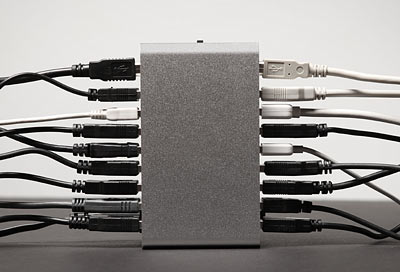
Every cabinet will be designed in such a way that it may have at least 2 ports on the front side and 4-6 ports on the back side. Nowadays Keyboards, Mouses are designed with USB cables. So that you almost wasted 2 posts now. So check whether ports are enough for your usage. Prefer Monitor with inbuilt Webcam and speakers. The sound system is also important for entertainment. Make your system as a source of home theater. Better check whether your computer is inbuilt with Bluetooth and Wi-Fi.

Thanks a lot for your laptop buying guideline. It is really very helpful for users who are looking for buying a laptop. Keep it up!!
This is the best, thanks for the information.
Thanks for sharing it
I need someone who can come with me to buy a computer and to install/ and set up the computer in my home. does such a person exist?
very nice!…!!
those really are some great tips then because I really don’t know some of the computer aspects and some of the good computer parts.
Buying a better computer is truly an important task for me. I am looking for some tips for buying a computer. Thanks a lot for your computer buying guideline.
i5 Processors are still the best choice when you’re a gamer though i7 is the latest processor offering from Intel, most games are already in its best when utilizing i5 plus you can save. I had read on the other forum still no game is developed to best match i7 and never will be. *Remember to match it with a high capacity video card.
Great Article ****
i am a guy and i don’t know much about computers. however, i i am planning to buy a computer soon and i was looking for valuable information online, then i came across this blog. it is helpful thank you.
thankss for sharing it with us…